

SOLIDWORKS Desktop Licensing
There are multiple ways to acquire SOLIDWORKS® to meet your specific needs. At SPK and Associates, we can assist by providing guidance on product pricing, license options, product demonstrations, training, and connecting you with an authorized SOLIDWORKS Value-Added Reseller (VAR) for your purchase. Many companies evaluating SOLIDWORKS have important questions about integrating it into their IT environment, addressing compliance and regulatory requirements, and following industry best practices. This is where SPK and Associates adds unique value. With years of experience in SOLIDWORKS implementations and management, our team goes beyond simply helping you find a reseller. We offer real-world insights and practical advice to ensure your investment aligns with your broader organizational needs. Additionally, we can assist in implementing a SolidWorks PDM solution to enhance your workflows. Let SPK and Associates be your trusted partner in making an informed and strategic decision for your SOLIDWORKS purchase and implementation.

Find out how to obtain SolidWorks 3D CAD, a powerful, intuitive, and easy to learn CAD application.
What Our Clients Say
"SPK has been an invaluable partner in transforming our software development process. With SPK's guidance, our team embraced efficient methodologies and cutting-edge tools, significantly improving our development cycle and product quality."

Joshua Talbert
CEO, mysherpas
"Working with SPK feels like working with co-workers in my company, not like interacting with a typical technical support vendor. SPK staff are responsive and partner with me."

Jay DiToro
Director of Systems & Technology, Veranex
"The personalized attention and detailed communication we receive working with SPK and Associates is pretty special. The accessibility of SPK team members is impressive."

Evan Bruck
Director, Active Device Research and Development, BBraun Medical Inc.
Companies that Trust SPK and Associates









Related SOLIDWORKS Resources

Why Growing Manufacturers Are Transitioning from Solidworks PDM to Windchill PLM
Many engineering teams begin their product data management journey with tools like SolidWorks PDM. Systems like SWPDM provide critical capabilities for managing CAD files, controlling versions, and maintaining design history. For small to mid-sized teams focused...
SOLIDWORKS vs. Creo: A Comparison
Solidworks and Creo are both popular 3D CAD solutions, and for good reason. They both offer a wide range of capabilities, but which system works best for your team?What You Will Learn In this comparison of Solidworks and Creo, you will discover the differences between...
Cut Costs, Avoid Errors — Automating Solidworks PDM to MasterControl Workflows
In regulated industries, engineering and quality teams must move fast enough to support innovation, but carefully enough to meet strict compliance requirements. This can be a difficult balancing act, and when critical product data lives in disconnected systems, that...
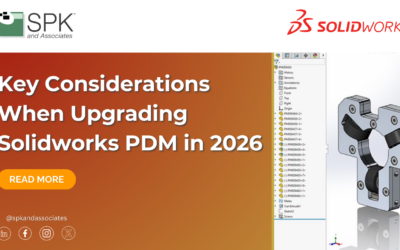
Key Considerations When Upgrading Solidworks PDM in 2026
Upgrading Solidworks PDM is a critical step in keeping your engineering environment secure and aligned with the latest features and performance improvements. However, without proper planning, a routine upgrade can lead to unexpected downtime, workflow disruptions,...
A Guide to Ensuring CAD Success in Virtual Environments
As the shift to cloud-based CAD increases, businesses are searching for the perfect virtual CAD tool. Discover all about SPK vCAD as well as other virtual CAD options for collaborative design in this eBook.What You Will Learn In this eBook, you will discover: Future...

Transitioning from On-Premise to Cloud-based CAD
Introduction If your engineers can't work smoothly from anywhere or your CAD workstations are slowing down releases, then this video is for you. Today we're talking about moving from on-premise to cloud-based CAD and what that journey really looks like. My name is...