


Key Takeaways
- Jira automation gives teams time back. Automating repetitive tasks can save employees 10 to 50% of the time they once spent on manual work.
- Every rule follows a simple pattern. A trigger, conditions, and actions make rules easy to build, and pre-built templates speed up the start.
- Smart values keep work in sync. Dynamic rules can recalculate due dates, create sub-tasks, and adapt to each issue’s context automatically.
- Measure to scale. Track completion time, errors, rule runs, and plan limits so automation keeps delivering value as it grows.
One of the simplest ways to give your teams their time back is through Jira automation. At scale, it turns hours of manual clicking into seamless work. Every ticket your team manually reassigns, updates a due date, or changes a status is time not spent on achieving business goals. The numbers prove it. 73% of IT leaders said automation saved employees 10-50% of the time that was previously spent on manual tasks. 85% of managers said that automating some tasks would free their teams to focus on the goals that matter most. Just automating onboarding increased new-hire retention by 16%. Plus, Jira Cloud has more automation features than nearly any other tool in its space. In this blog, we’ll cover the most useful Jira automations and how to build and manage them.
What Repetitive Jira Tasks Should You Automate First?
The best Jira automations are the ones that remove the little, repetitive actions that add up across every project. In addition to standard automations, Jira Cloud features a no-code rule builder that allows teams to create if-this-then-that rules based on events in Jira.
Typical automation actions are:
- Assigning issues: Route issues to the right person automatically, including load balancing based on workload.
- Creating issues and sub-tasks: Generate a standard set of sub-tasks when work moves to a new stage.
- Transitioning issues: Move issues through the workflow when conditions are met.
- Linking and syncing issues: Connect related work and keep issues in sync across projects.
- Sending messages: Notify teams by email, Microsoft Teams, or Slack.
- Managing versions: Create or release versions as work ships.
- Escalating priority work: Automatically escalate high-priority tickets so nothing urgent sits in a queue.
Pre-built Automations
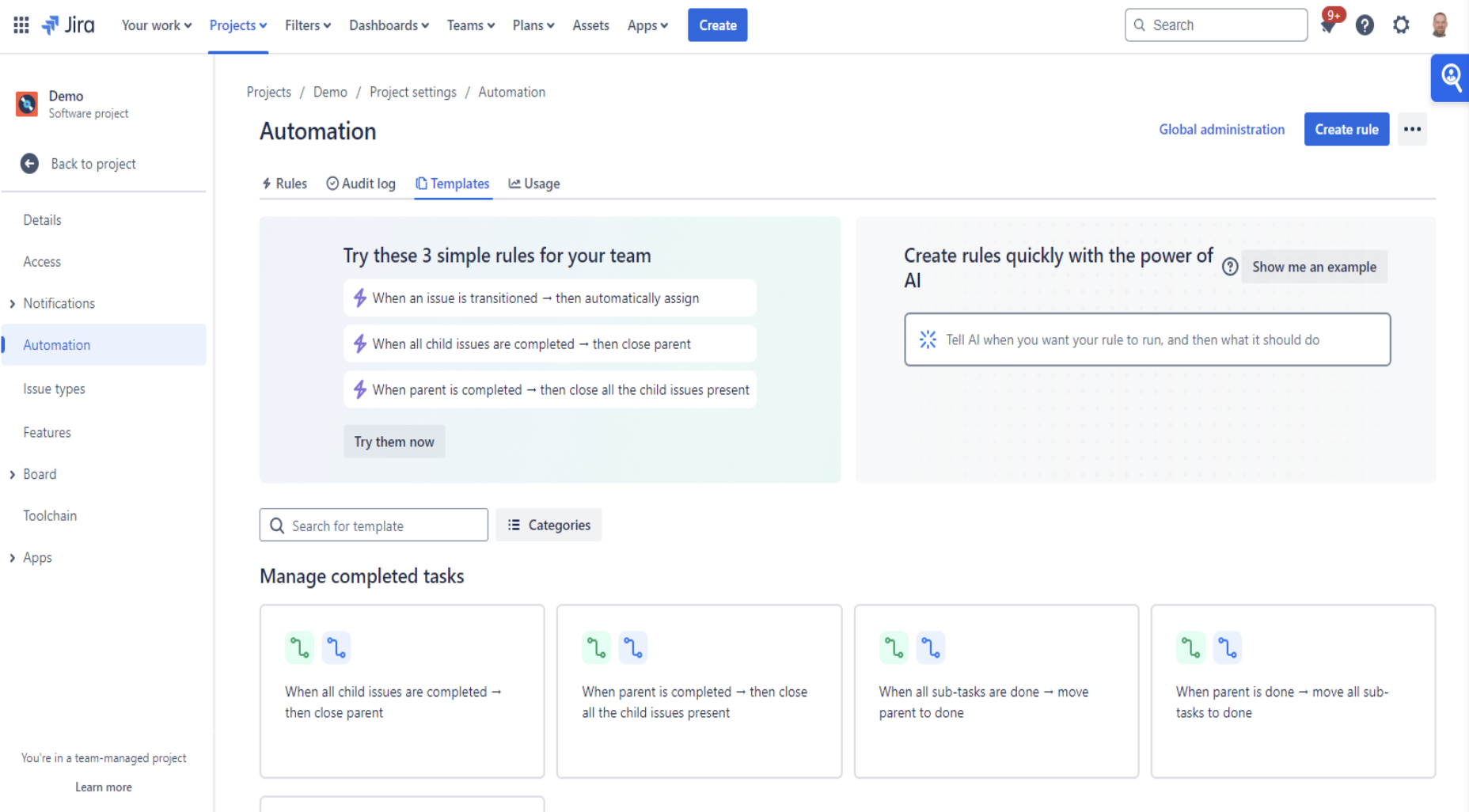
You don’t have to start from scratch either. Jira Software and Jira Service Management projects include pre-built rules that teams can turn on right away, including:
- Close parent task when all child issues are done
- Copying an Issue from another Project
- Create a Confluence page from an issue
- Adding a tag to issues that meet some criteria
- Slack message on production deployment failure
- Create GitLab branch when an issue is moved to In Progress
Atlassian has many more in its Jira automation template library.
How Do You Set Up Automation in Jira?
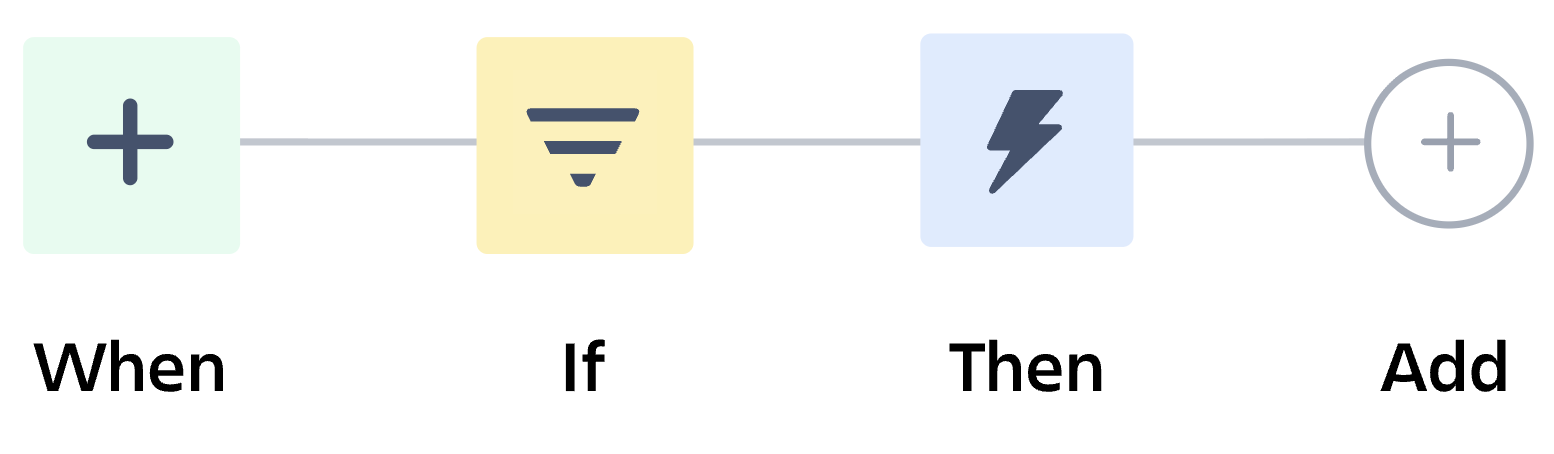
All Jira automation rules follow the same simple pattern, which makes it easy to start small and build up. Each rule has three sections:
- Trigger (the WHEN) – The event that initiates the rule, for example, an issue being created, updated, or transitioned.
- Conditions (The IF): Optional filters to narrow when the rule is executed, such as for a specific issue type or priority only.
- Actions (the THEN): What Jira does when the conditions are true. For example, edit, assign, create issues.
Build Dynamic Rules with Smart Values
Smart values (variables) allow a rule to adapt to the context of each issue. For instance, a task moving from Backlog to To Do can be automatically populated with its standard sub-tasks, and each due date can be set relative to the parent. A “Final Review” sub-task may be due 6 business days before the parent with {{issue.dueDate.minusBusinessDays(6)}}.
Here’s how to keep those dates aligned when a deadline moves:
- Create a rule in the project’s automation settings.
- Select Trigger, ex. “Issue updated”, set to trigger when the parent’s due date is modified.
- Add a condition to only apply the rule to tasks that have sub-tasks.
- Add an Activity: Use “Edit issue” with smart values to recalculate the due date of each sub-task.
Now, if a deadline changes by a week, all the sub-tasks connected to it are automatically updated. That saves time and eliminates a common source of errors. Check out Leveraging Jira Cloud Automations for Efficiency for a deeper dive.
Who Can Make Rules, and What Are The Limits
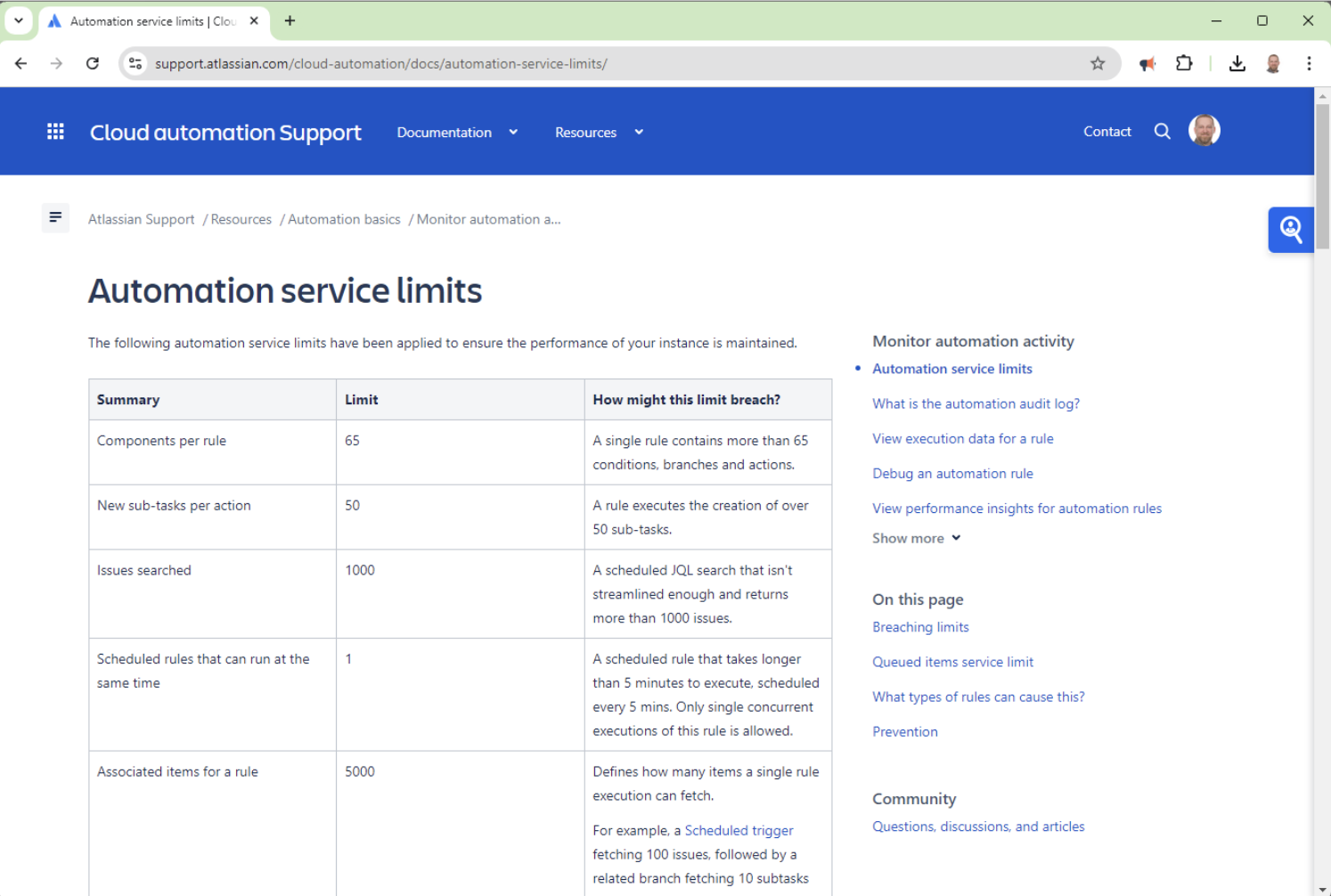
Users with the Administer Jira global permission are able to create and manage rules throughout all of Jira. Admins can also allow project admins to create rules for their own projects, which distributes the work without giving up control. However, automation has usage limits, depending on your plan. Free and Standard plans include simple, high-value rules, while Premium and Enterprise plans support more rule runs and more complex automation across projects. As your automation builds, be sure to check your plan’s limits so important rules don’t stop running mid-month.
Measure your impact
Automation at scale should prove its worth. Track metrics like:
- Task completion time: How much quicker repetitive tasks are done
- Time to resolution: How quickly issues and tickets are resolved.
- Error reduction: Fewer manual errors in fields, dates, and assignments.
- Rule execution metrics: Runs, trigger frequency, success and failure rates from the Jira audit log.
- Process consistency and compliance: How well standardized workflows support audit requirements.
- Business results: Delivering projects faster, higher customer satisfaction, and better employee morale.
Let Jira Do the Repetitive Work
Jira automation is one of the simplest, highest-return investments a team can make. Start with the built-in rules, add smart values to keep work in sync, and then get to measuring all the time and effort you save. The payoff is a team that spends less time clicking buttons and more time building the product. For regulated organizations, standardized, automated workflows also strengthen consistency and audit readiness. As an Atlassian Gold Solution Partner, SPK and Associates helps teams design Jira automation rules and keep everything within the guardrails their industry requires. If your team is ready to eliminate repetitive Jira work, contact our experts.